
Frequently Asked Questions (FAQ)
TL;DR Quick troubleshooting:
- 🔴 No impact factor showing? Check the domain is official, look for plugin conflicts, confirm the per-site toggle is on
- 📧 Activation email missing? Check spam, whitelist
service@byteslink.cn,paperpop@email.byteslink.cn- 🔐 Extension login failed? Log in at byteslink.cn/login — it syncs automatically (Firefox not supported)
- 💎 Pro membership not synced? User Center → My Orders → click "Sync membership info to extension"
- 🔄 Disabled after update? New-site permission prompt — just re-enable
- 📩 Still stuck? Email
service@byteslink.cn(screenshots help)
Why doesn't Google Scholar / Pubmed show journal rankings after I installed it?
Please try checking the following points:
1️⃣ Check Access Domain
- Please ensure you are using Google Scholar / PubMed directly. The plugin works on the domain
https://scholar.google.com/(include .com.hk, .com.tw etc.) ,https://pubmed.ncbi.nlm.nih.gov/ - If accessed through library proxy or third-party forwarding where the domain is changed, it will not work
2️⃣ Check Plugin Settings
- When using Google Scholar, check if the "Enable for current site" status in the PaperPop settings is turned on
- Ensure the plugin is properly enabled and configured
💡 I've checked everything, looks fine but still not working. What should I do?
- Alright,
use the ultimate solution: delete the extension and reinstall it from a reliable source - (How to install?)
- Email feedback: gnxiuw@gmail.com (screenshots showing usage scenario/environment would be helpful)
What should I do if I don’t receive the activation email after registering?
- Make sure you entered the correct email address
- Check your spam/junk folder, or try using an email address from a different provider
- Some email systems have strict filtering rules. You may try adding the following sender addresses to your whitelist:
service@byteslink.cnpaperpop@email.byteslink.cn - Example of the activation email:
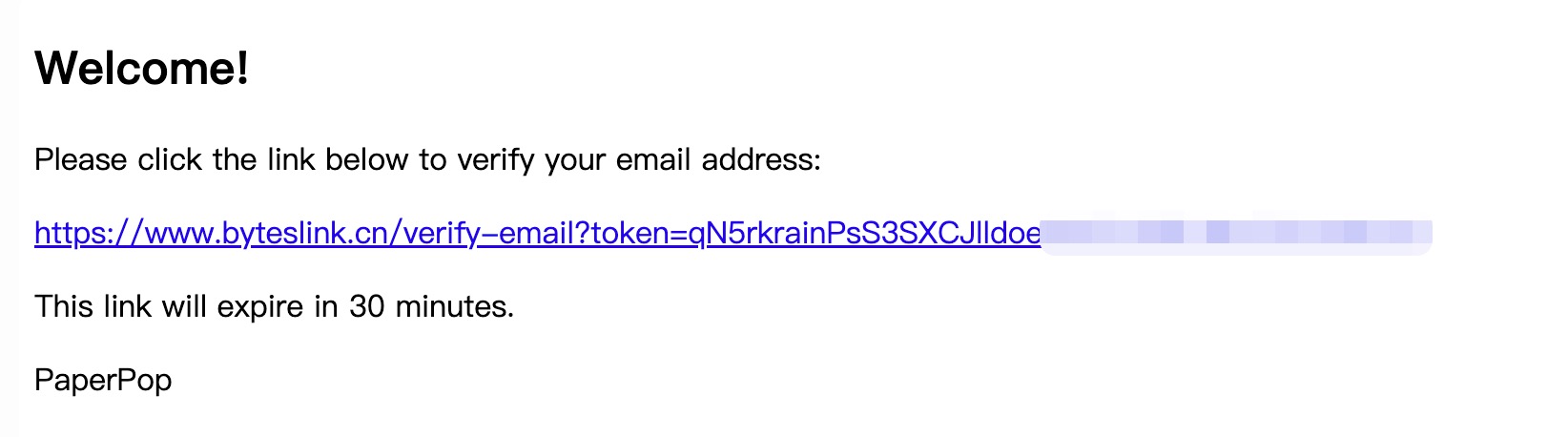
How to log in to the PaperPop extension? I logged in on the website, why doesn't the PaperPop extension show as logged in?
- Website login address:
https://www.byteslink.cn/login - After logging in on the website, the login status will sync to the extension. Or click
Log Outand log in again to refresh user login information.
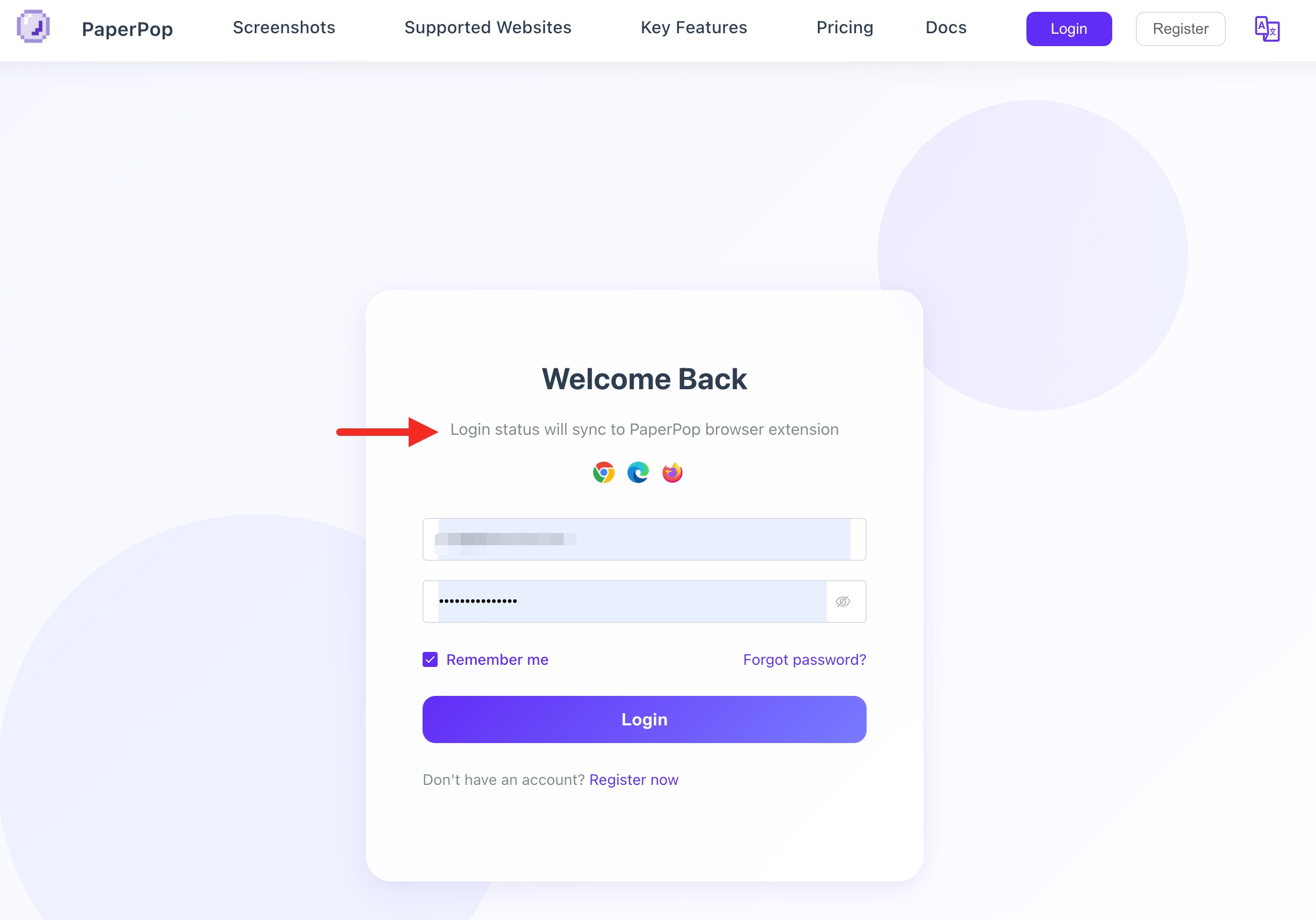
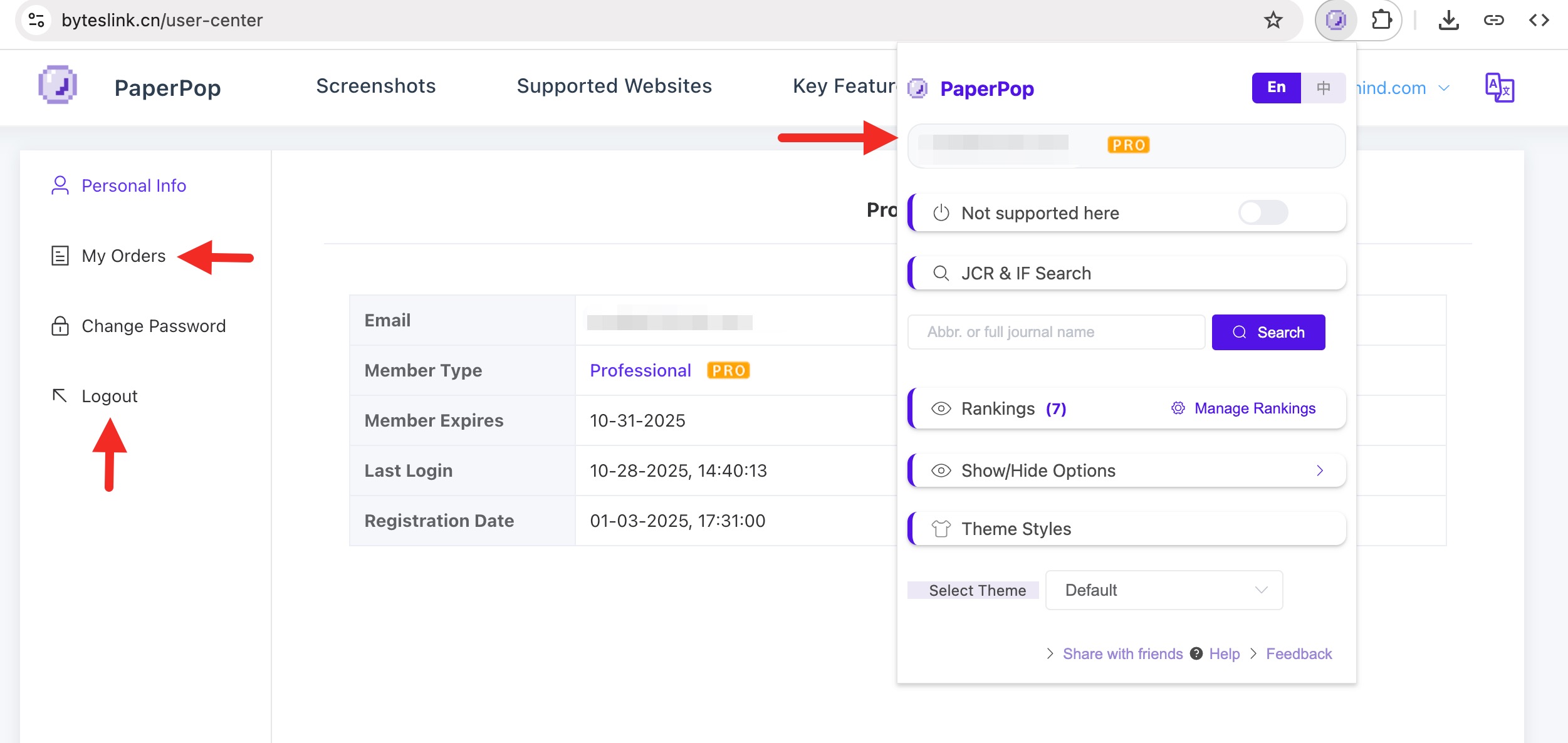
⚠️ Special Note: Firefox login currently has issues that may affect Pro feature usage. Other features are not affected. Please use Chrome browser if you need Pro features.
What if Pro membership information doesn't sync after purchase?
- After purchasing Pro membership, the system will immediately sync the membership status to the browser extension. If sync fails, you can check your purchased membership period in
User Center-My Orderson the website, and click the top-right buttonSync membership info to PaperPop browser extensionto manually sync.
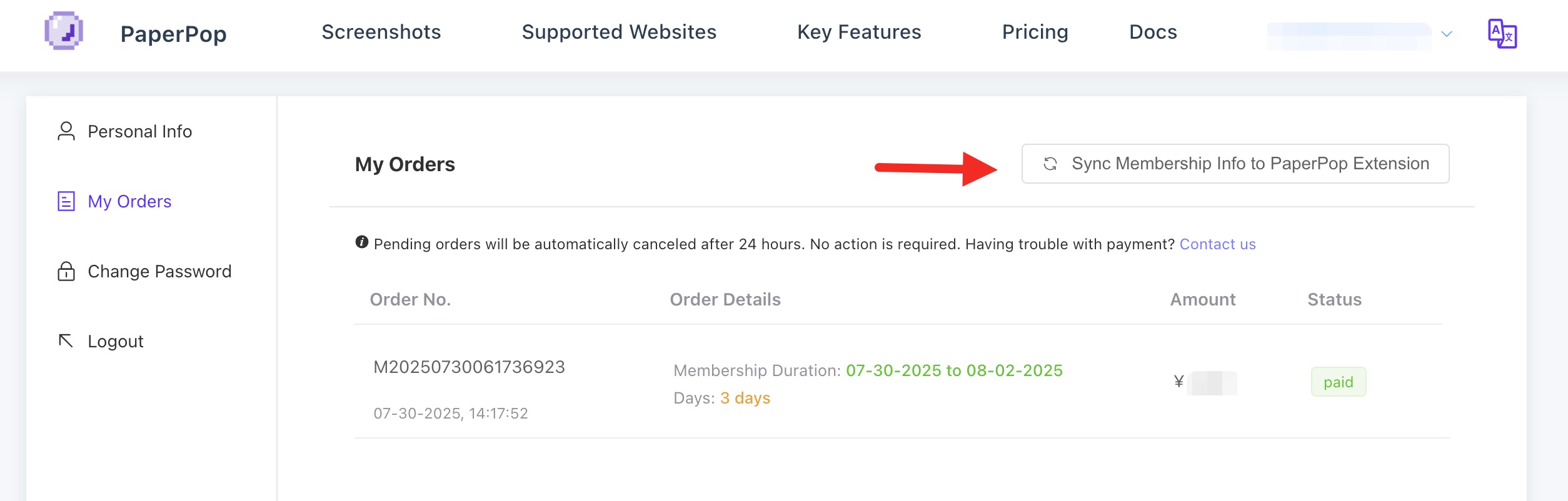
Other Common Questions
Q1: Why don't some journals show information?
Answer: Possible reasons:
- Journal name recognition failed or irregular name (try manual search)
- Journal not in our database
- Newly established journal with no related data yet
Q2: Is the journal ranking data up-to-date?
Answer:
- Data is updated regularly but may have delays
Q3: Why doesn't the sorting function work?
Answer: Please check:
- Whether "Sorting & Export" feature is enabled
- Whether "Journal ranking, Division" option is enabled in settings
- Whether the current page has sortable content
Q4: What fields does Excel export include?
Answer: Export data usually includes:
- Article title and author
- Journal name
- Journal rankings
- Publication year
- DOI information (if available)
Q5: Will the extension affect normal website usage?
Answer:
- Does not affect original website functionality
- Can disable specific sites at any time
Q6: How is data security?
Answer:
- PaperPop has earned Chrome Web Store's
Featuredcertification, carefully uses browser permissions, and strictly follows development standards - Journal rankings data processing is completed in the user's own computer browser
- Does not collect user browsing records

Q7: Why does the extension automatically disable and prompt to read and modify all data on all websites after an update?
Answer:
- When new sites are added for support (such as adding a mind map generation and recognition feature for an academic website), the browser will prompt this message to make the extension effective on the new domain. Please use it with confidence.
- You can always disable it for specific sites through browser extension management or the settings of PaperPop.