
Mind Map Feature
TL;DR Core capabilities:
- 🧠 Article pages — Generate a structured mind map from any abstract with 50+ characters
- 📋 Search result pages — Two overview modes: "Quick Glance" and "Next Steps Suggestions"
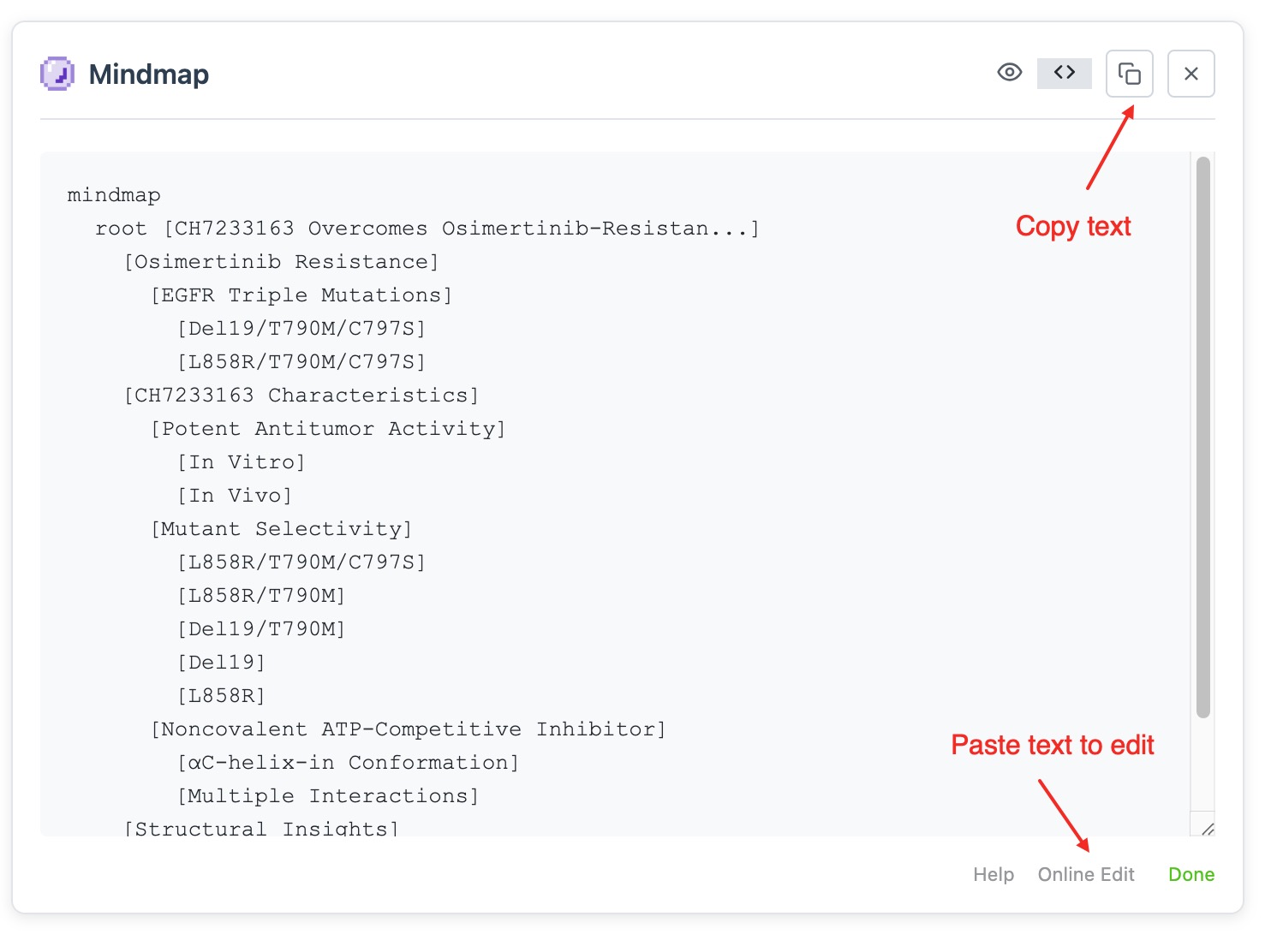
- ✏️ Code view + online editing — Built on Mermaid syntax, edit then export as image
- 🎨 Multiple theme colors — Switch palettes for light / dark reading
- 🔄 Generation failed? — Try different keywords, regenerate, or fix special characters in code view
- 🌐 Supported sites — PubMed, Google Scholar, major journal publisher websites
Preview
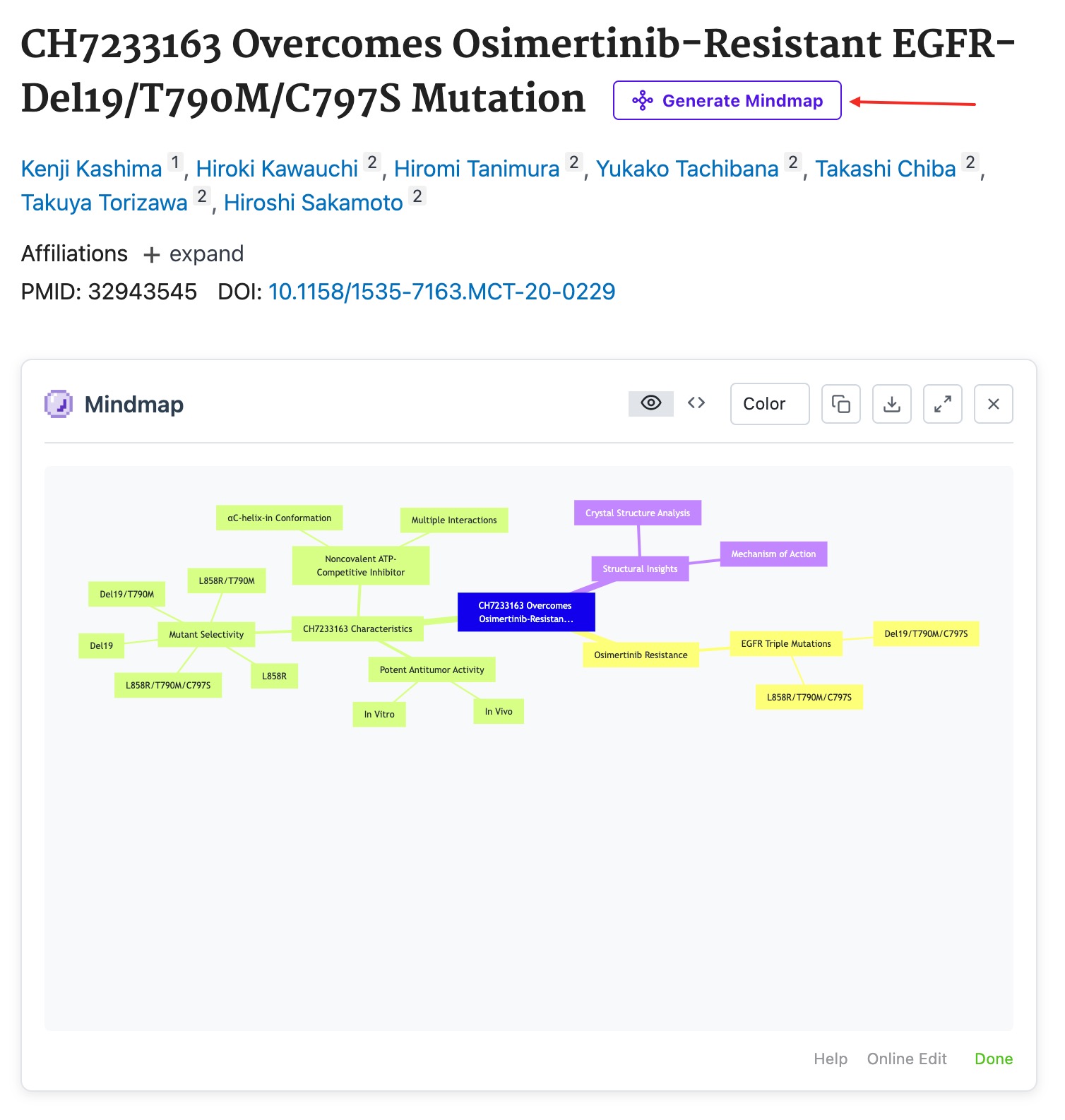
1. Quick Article Overview (Appears on PubMed / Google Scholar article detail pages)
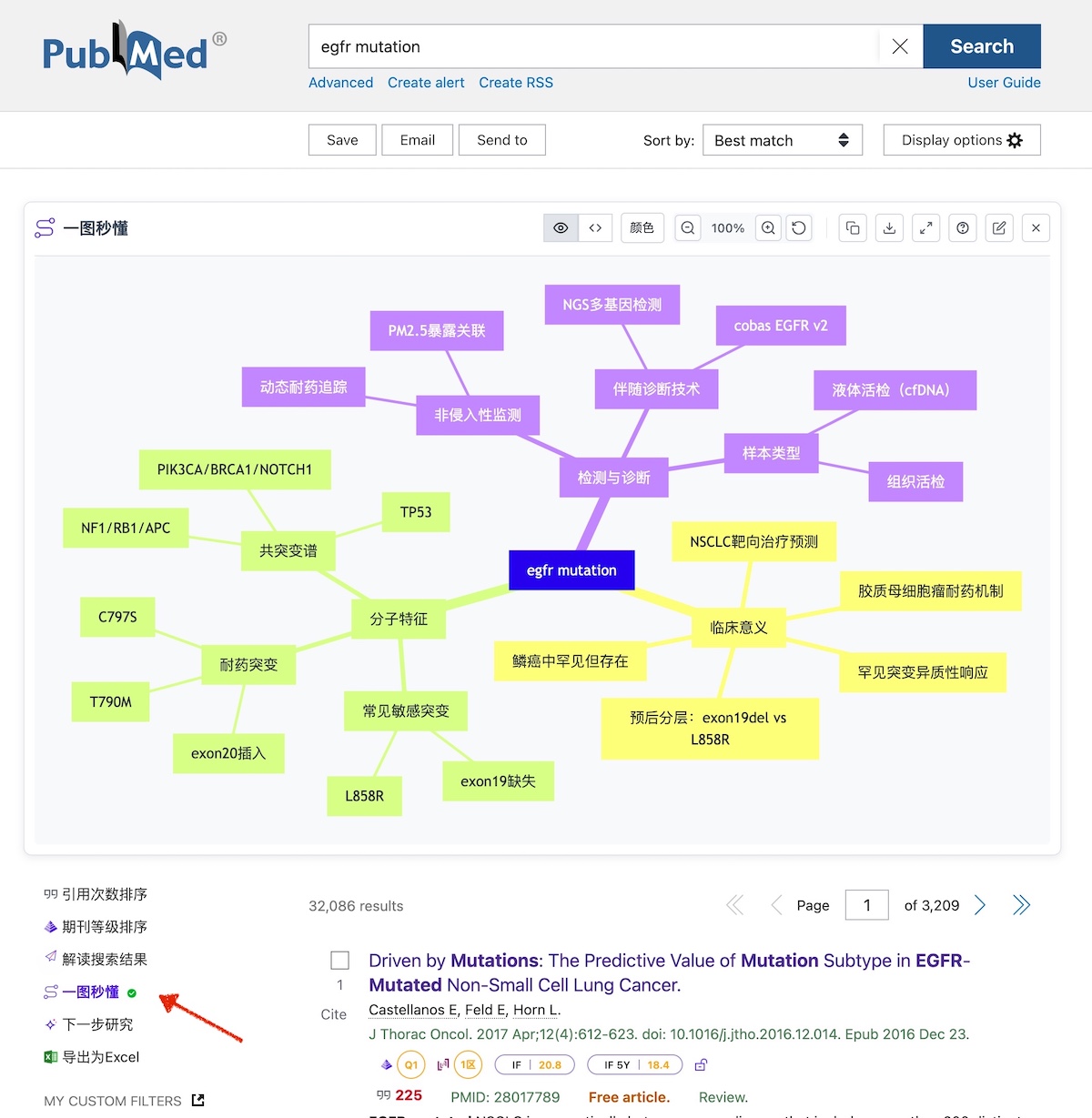
2. Search Results at a Glance (Appears on PubMed / Google Scholar search results pages)
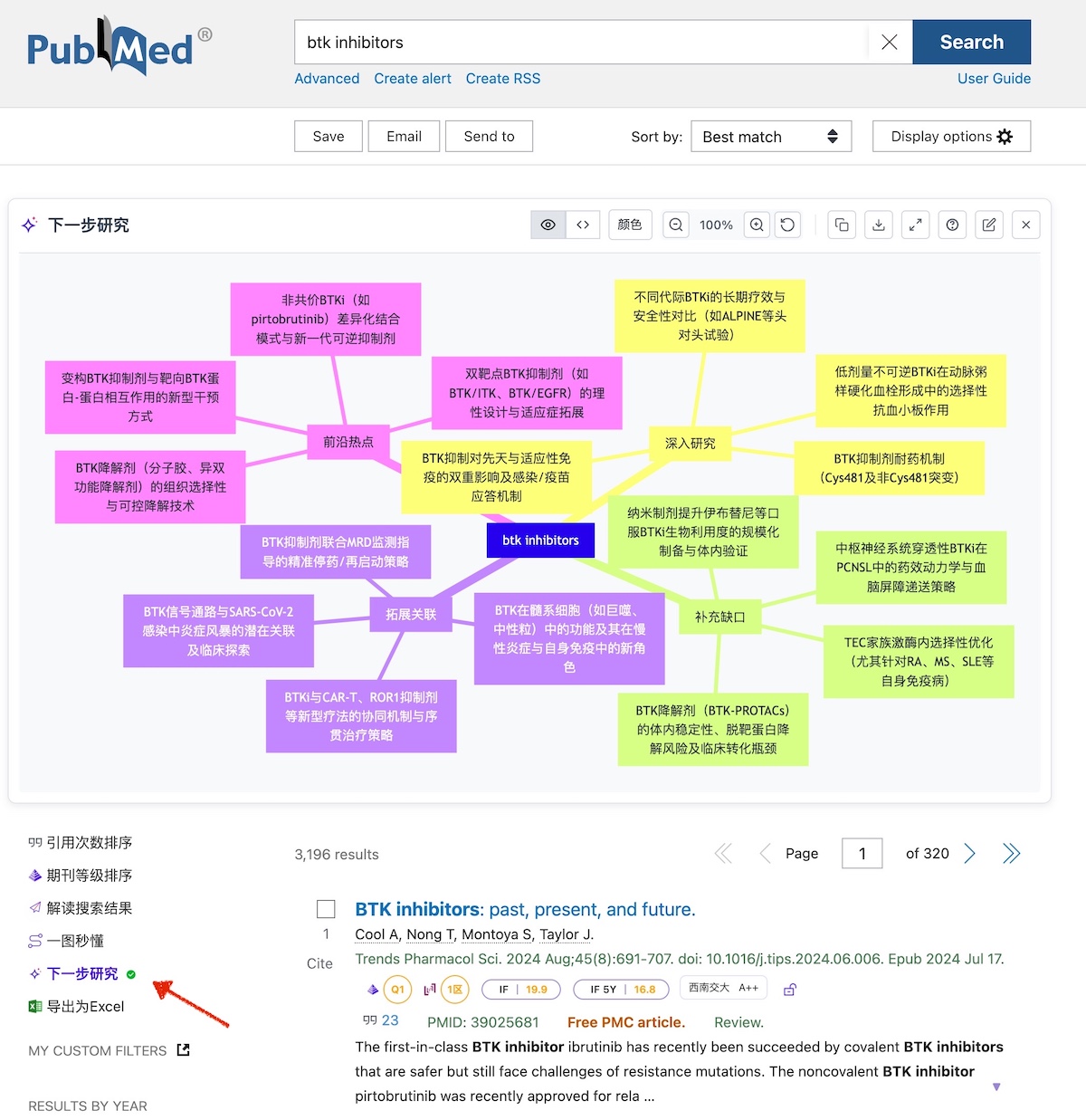
3. Next Steps Suggestions (Appears on PubMed / Google Scholar search results pages)
Note: Mind maps are generated by AI based on the current page content. Output quality may vary. If you encounter poor results, try the following:
- Search results pages may have limited abstracts or too many review articles. Try different keywords or use English keywords.
- Close the current mind map and click to regenerate.
- Use the "Analyze Results" feature for text-based interpretation.
Features
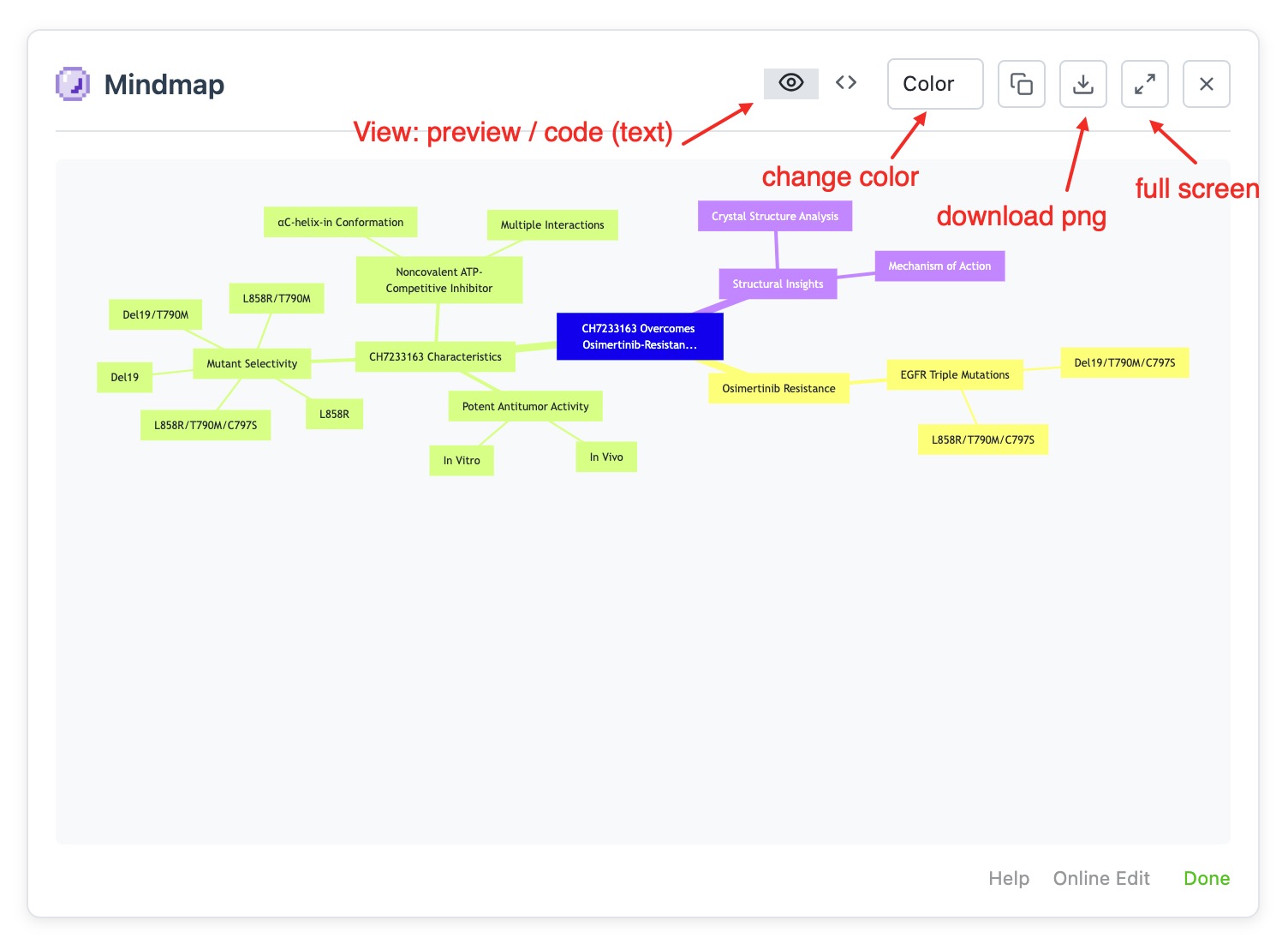
The mindmap feature automatically converts article abstracts or search results into visual diagrams, supporting viewing, editing, and exporting.
FAQ
1. Why don't some articles show the mindmap button?
The article detail page must contain an abstract with more than 50 characters to generate a mind map.
2. What if the generated content is hard to read?
- Click zoom in/out buttons or use shortcut Ctrl + Mouse Wheel (MacOS: ⌘ + Mouse Wheel)
- Click the expand button above the mindmap display area
- Try switching colors using the theme toggle
3. Code View Usage
- If you need to modify content before downloading the image, edit directly in code view, then switch to preview to view and download.
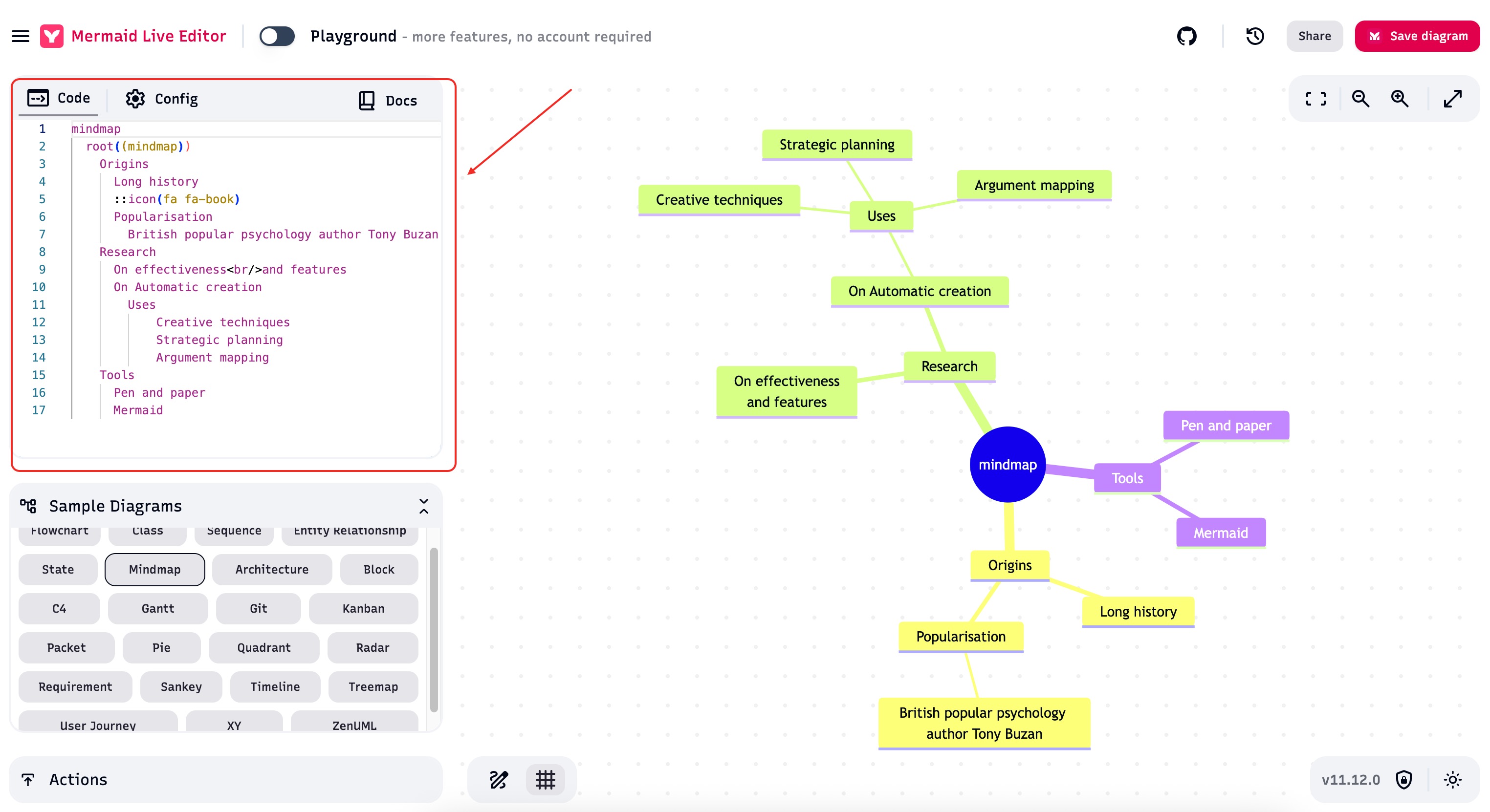
- You can also copy the code to other editors. We recommend using Mermaid Live Editor (first load may be slow with a brief blank page, please wait).
4. Online Editing Syntax
Editing must follow Mermaid syntax. See Mermaid Official Documentation.
5. Generation Failure Causes and Solutions
Cause: Special characters in text conflict with Mermaid syntax. (PaperPop validates known cases, but errors may still occur.)
Typical Case: IUPAC names of compounds (e.g., "N-(3-(6-Amino-5-(2-(N-methylacrylamido)ethoxy)pyrimidin-4-yl)-5-fluoro-2-methylphenyl)-4-cyclopropyl-2-fluorobenzamide") contain multiple parentheses that conflict with the syntax.
Note: During PaperPop's validation process, some characters may be replaced and differ from the original text.
Solution:
- Switch to code view, manually fix errors, then switch back to preview (error messages will be shown)
Related Links
- If you want to quickly locate valuable literature, please use the Abstract Interpretation
- If you want to review/analyze multiple articles on a particular topic, please use the Search Result Interpretation
- To use a custom prompt with your preferred AI, view Send to Your Favorite AI