PaperPop Custom Settings
TL;DR Configuration overview:
- 🌐 Language — Switch between English and Chinese (auto-detects browser language)
- 🔘 Per-site toggle — Quickly enable / disable the extension on the current site
- 📊 Journal rankings — Pick up to 10 systems (5 free + Pro unlocks 100+)
- 📥 Custom datasets (Pro) — CSV import, up to 10 datasets × 10,000 journal records
- 🔗 DOI prefix — Default
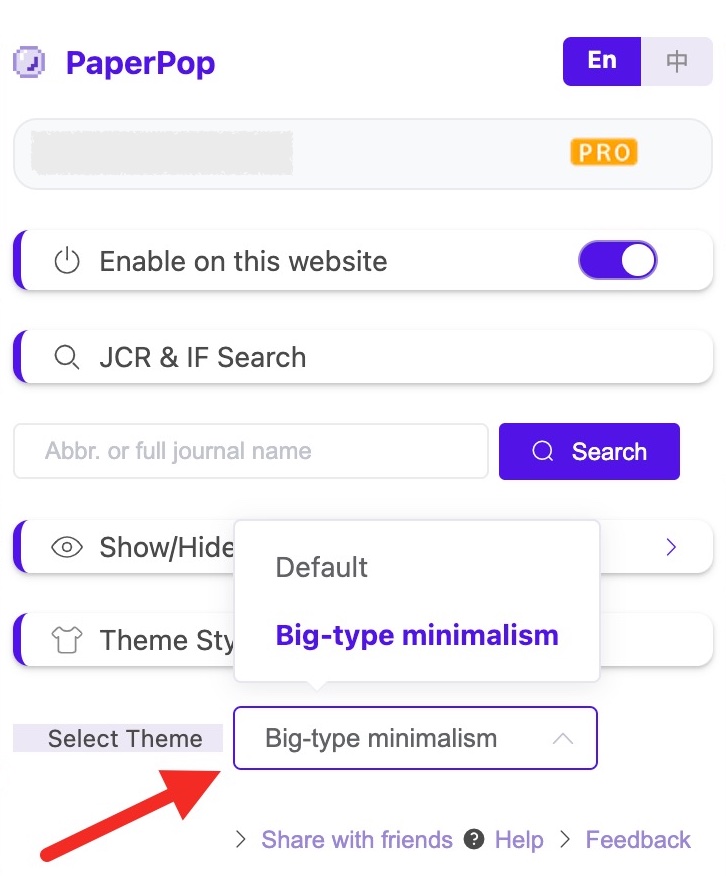
https://doi.org/; change to Sci-Hub mirror for direct full-text access- 🎨 Theme styles (Pro) — Classic / Borderless / Big-type Minimalism
- 📤 Sort & export panel — Toggle the left-side function panel visibility
Basic Settings
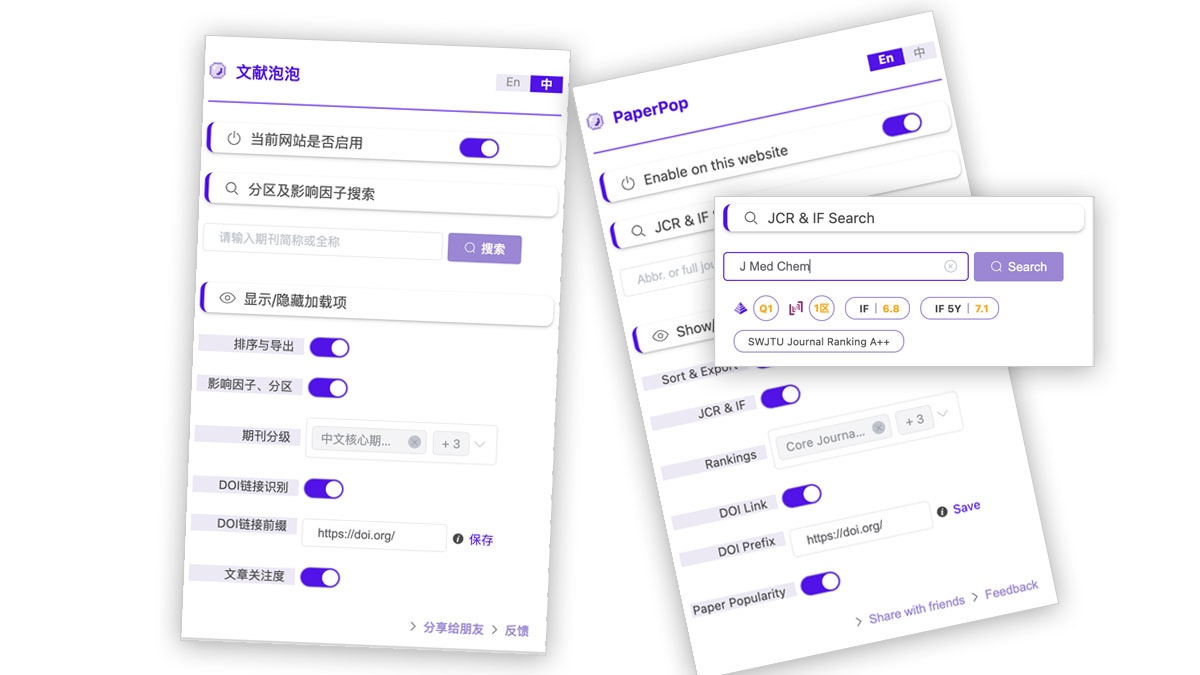
Language Switch
- Support for Chinese and English interfaces with automatic browser language detection
Current Site Control
- Quickly enable/disable extension features on the current site
- ⚠️ Note: For unsupported sites, the toggle will be automatically disabled and cannot be enabled
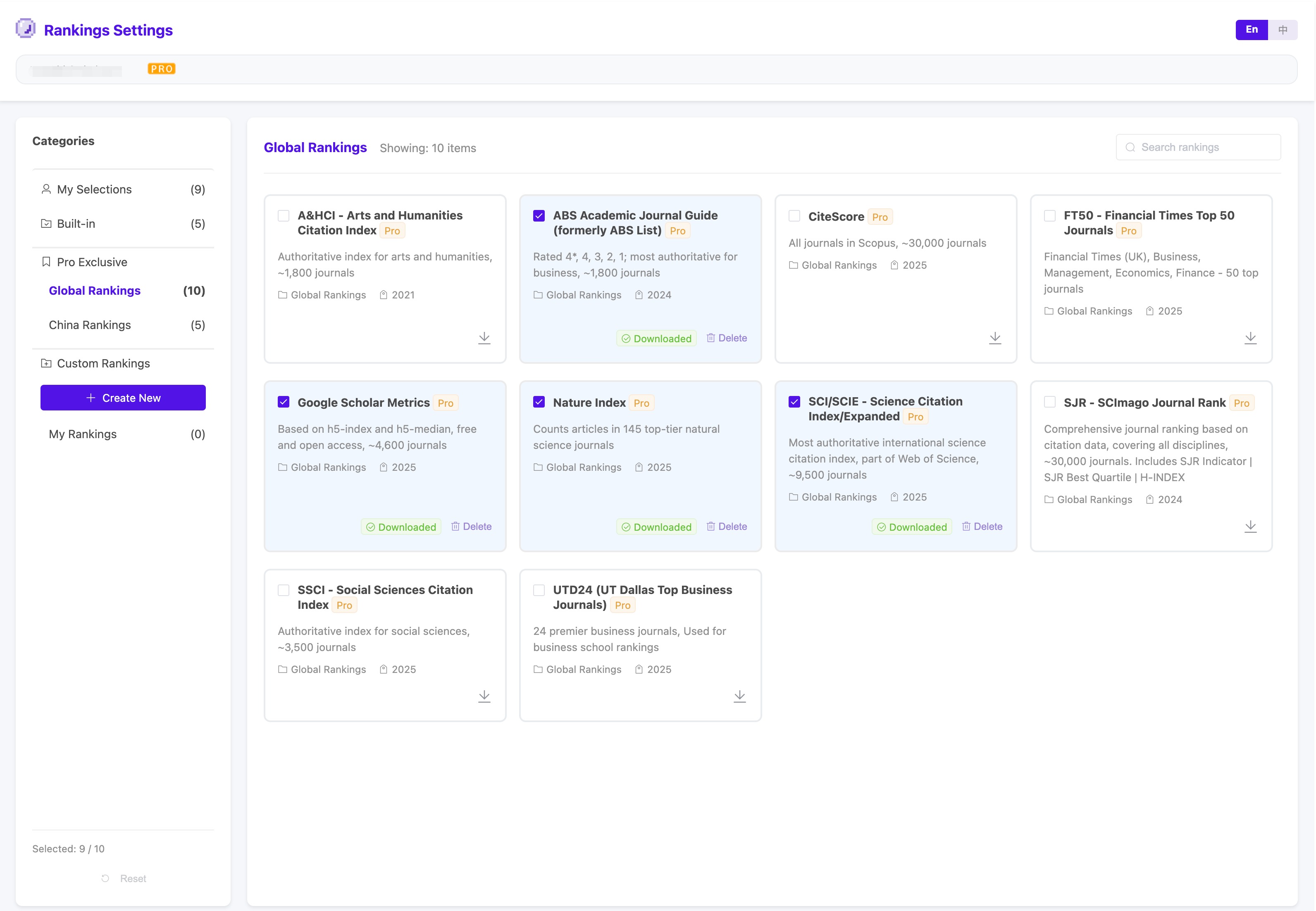
Journal Rankings Settings Page
Brand new journal ranking management interface with powerful features:
Browse by Category
- My Selections: View all selected journal rankings (maximum 10)
- Built-in (5 types):
- Pro Exclusive - Global Rankings (10 types):
- Pro Exclusive - China Rankings (5 types):
- My Rankings: View and manage custom journal ranking datasets
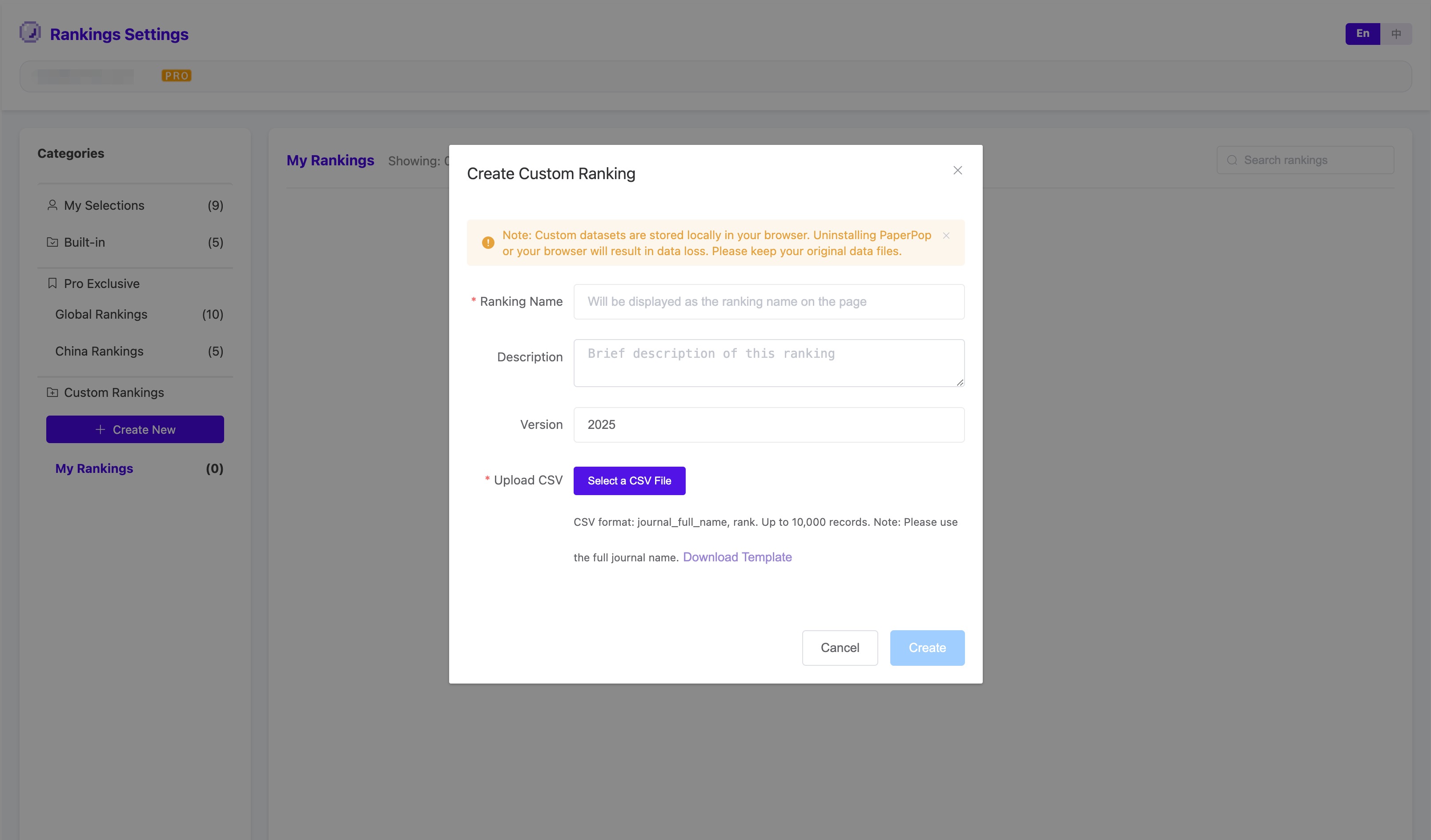
Custom Journal Rankings (Pro Exclusive)
Create personalized journal ranking datasets:
- Support creating up to 10 custom datasets
- Each dataset can contain up to 10,000 journal records
- Batch import journal data via CSV file
- ⚠️ Important: Custom datasets are stored locally in your browser only. Uninstalling the extension or browser will result in data loss. Please keep your original CSV files safe
Important Notes
- Maximum 10 journal rankings can be selected
- Pro-exclusive features require login and Pro membership upgrade
- Custom datasets are stored locally in browser only, please backup regularly
Display/Hide Options
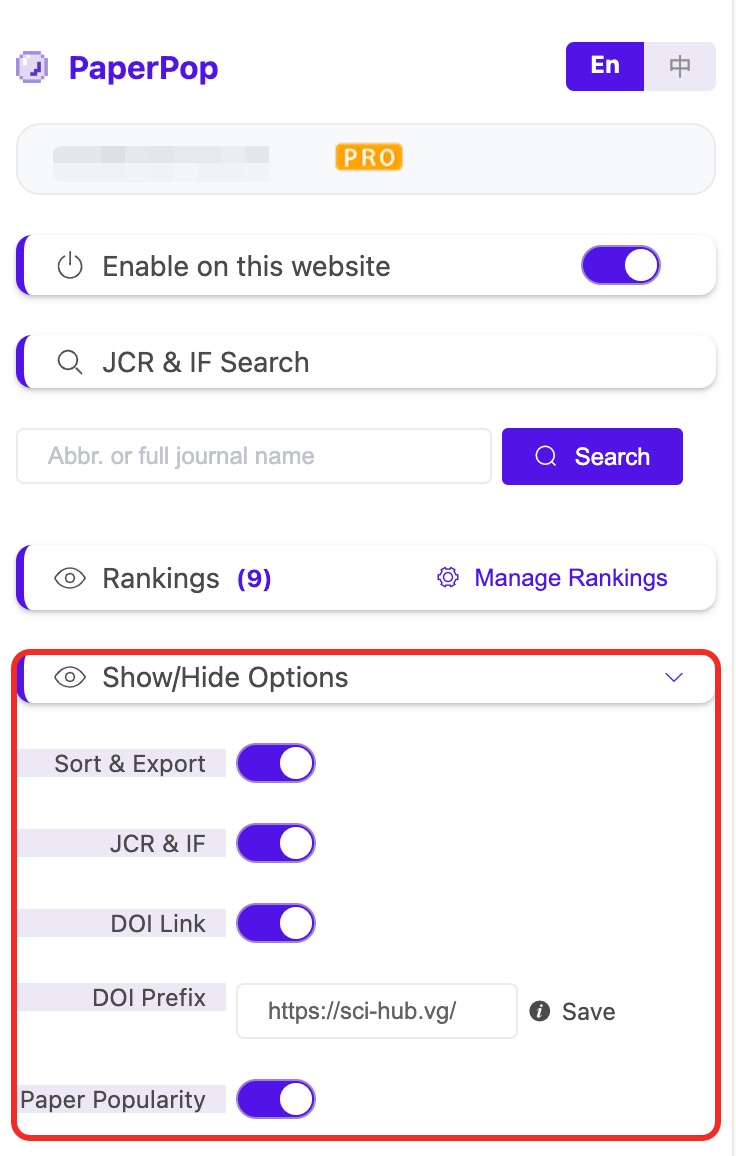
Sort & Export
- Control the display of the left-side function panel (sort by journal ranking, sort by citations, Excel export, AI insights)
Journal ranking & Quartiles
- Control display of journal ranking, quartile information
DOI Link
- Control recognition and display of DOI links
- Customizable DOI link prefix
- Default prefix: https://doi.org/
- Can be configured to Sci-Hub or other sites' domains for direct access to full-text articles by clicking the DOI icon
Paper Popularity
- Control display of Paper Popularity indicators
- Includes social media mentions, news coverage, patent citations, etc.
- Display global ranking and journal-specific ranking
Theme Styles (Pro Exclusive)
Theme Selection
- Classic Theme: Traditional academic style, suitable for long reading sessions
- Borderless Theme: Modern minimalist design, cleaner interface
- Big-Type Minimalism Theme: Larger, clearer fonts, suitable for high-resolution screens